
7 Best AI Writing Tools for Bloggers in 2026
If you’re a blogger in 2026, manual writing doesn’t scale anymore.
Between keyword research, long-form content, affiliate posts, and consistency, writing everything yourself is a fast track to burnout.
That’s why more bloggers are now using AI writing tools to draft faster, publish more, and grow traffic without sacrificing quality.
But here’s the problem.
Most AI tools are either:
- Overpriced
- Overhyped
- Too generic
- Or useless for real blogging workflows
So I tested and compared the tools that actually work for bloggers — not marketers, not agencies, not copywriters.
In this guide, you’ll find the best AI writing tools for bloggers based on:
- Long-form performance
- SEO usefulness
- Affiliate content support
- Ease of use
- Value for money
No hype.
No fake “I tested 50 tools.”
Just what actually helps you publish consistently and grow.
Why Bloggers Are Switching to AI Writing Tools
Let’s be honest.
Blogging in 2026 is not about talent anymore.
It’s about output + consistency + speed.
Most bloggers quit because of three things:
- They can’t publish consistently
- They burn out writing everything manually
- They get stuck rewriting the same type of content again and again
That was me too.
Writing every blog post from scratch sounds romantic.
In reality, it doesn’t scale.
You might manage:
- 2 posts per week
- 8 posts per month
But that won’t grow traffic fast enough.
And it definitely won’t build topical authority.
Manual writing breaks when:
- You’re running multiple niches
- You’re publishing clusters
- You’re doing affiliate content
- You’re updating old posts
- You’re building internal links
That’s where AI writing tools stopped being trash.
Early AI tools were useless.
Robotic. Repetitive. Low quality.
That’s not the case anymore.
Modern AI tools:
- Generate usable first drafts
- Rewrite content cleanly
- Optimize tone
- Improve grammar
- Help with SEO structure
- Speed up long-form writing
Used correctly, they don’t replace you.
They remove 60–80% of the manual work.
This guide is for:
- Beginner bloggers
who struggle with writing consistency - Affiliate bloggers
who need to scale product content - Niche bloggers
who publish cluster posts - Solo creators
who don’t have a content team
If you publish more than 5–10 blog posts per month, manual writing alone will slow you down.
And if you’re serious about growing traffic, building clusters, or monetizing with affiliate content, AI writing tools are no longer optional.
They’re infrastructure.


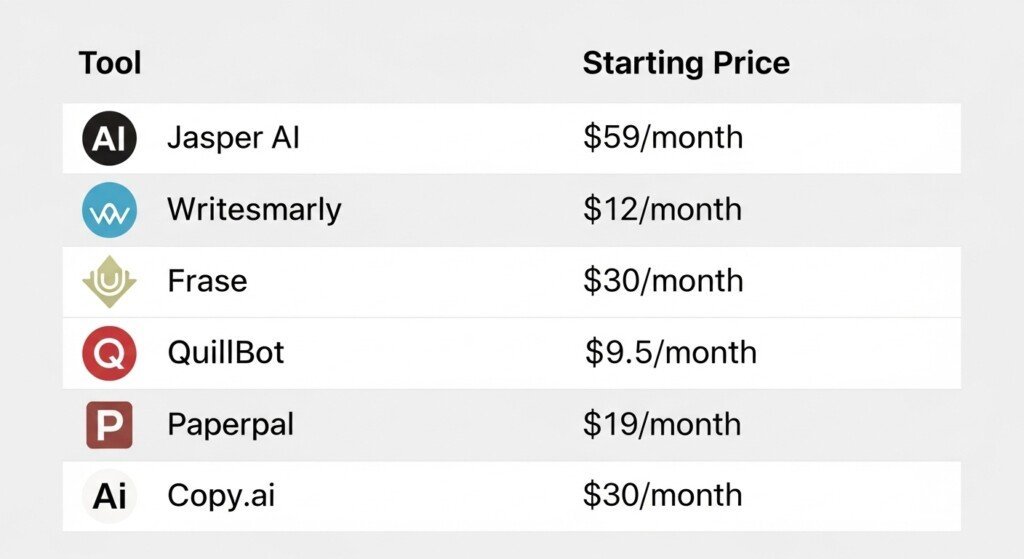
Quick Comparison: Best AI Writing Tools for Bloggers
This table is not marketing fluff.
It’s a decision shortcut.
I only included tools that actually work for blogging.
| Tool | Best For | Key Feature | Starting Price | Free Plan | Verdict |
|---|---|---|---|---|---|
| Jasper AI | Long-form blog writing | SEO-optimized content workflows | $59/month | No | Best overall for serious bloggers |
| Writesonic | Fast blog drafts + SEO templates | Blog + landing page generators | $39/month | Yes | Best budget SEO tool |
| Grammarly | Editing & grammar fixing | Tone + clarity improvements | $12/month | Yes | Best editor companion |
| Frase | SEO content optimization | Content briefs + SERP analysis | $30/month | No | Best SEO research tool |
| QuillBot | Rewriting & paraphrasing | Clean sentence rewrites | $9.95/month | Yes | Best rewriting tool |
| Paperpal | Authority tone writing | Formal writing enhancement | $19/month | Yes | Best for trust content |
| Copy.ai | Fast drafts & idea generation | High-speed content creation | $30/month | Yes | Best first-draft engine |
How to Use This Table
If you’re confused which tool to start with:
- Want full blog posts → Jasper AI
- Want cheap SEO drafts → Writesonic
- Want editing & grammar → Grammarly
- Want SEO briefs → Frase
- Want rewriting → QuillBot
- Want authority tone → Paperpal
- Want fast drafts → Copy.ai
No tool does everything perfectly.
Real bloggers use 2–3 tools together.

1: Jasper AI — Best Overall AI Writing Tool for Bloggers
Why Jasper Is My #1 Pick
Jasper isn’t the cheapest.
It isn’t the simplest.
But it’s the most complete AI writing tool for bloggers who want to scale content that actually makes money.
Most AI tools spit out generic text. Jasper is built for real workflows: long-form blogging, SEO content, affiliate pages, product reviews, brand-consistent writing.
If you’re serious about publishing consistently and monetizing your blog, Jasper is the closest thing to a “content machine.”
What Problem Jasper Solved for Me
Three problems killed my blogging momentum:
- Writing long posts took too long
- Maintaining consistent tone was exhausting
- Scaling content without trash quality felt impossible
Jasper fixed all three.
Instead of starting every post from zero, I now:
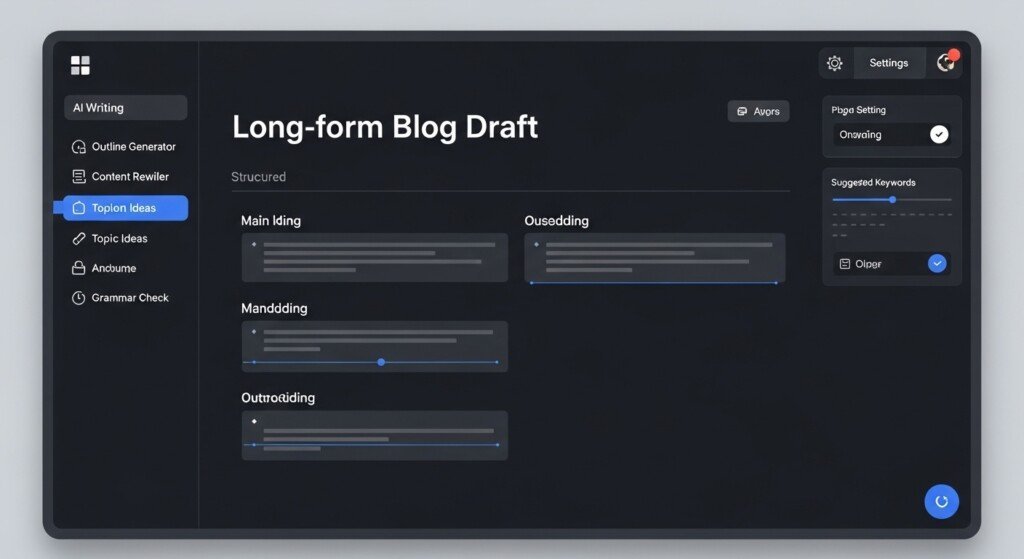
- Generate structured blog drafts in minutes
- Expand sections cleanly
- Rewrite weak paragraphs instantly
- Maintain a consistent brand voice
This alone doubled my content output without burning out.
Real Workflow Example (How Bloggers Actually Use Jasper)
Here’s a simple, real blogging workflow:
- Enter your topic + angle
- Generate blog outline
- Expand each H2 section
- Rewrite weak sections
- Optimize tone for your audience
- Final human editing pass
What used to take 4–6 hours now takes 60–90 minutes.
That’s the difference between publishing 4 posts/month and 20+.
Key Features Bloggers Actually Care About
- Long-form editor
- Brand Voice training
- 50+ blog & marketing templates
- SEO-friendly writing workflows
- Chrome extension
- Team collaboration tools
- AI chat assistant
- Image generation (optional)
No gimmicks. No toy features.
| Pros | Cons |
| 1.Best long-form content quality 2.Brand voice consistency 3.Built for SEO + affiliate blogs 4.Powerful templates 5.Scales content production 6.Reliable output | 1.More expensive than basic tools 2.Learning curve for beginners 3.Overkill for casual bloggers |
Who Should And Should NOT Use Jasper
| Use Jasper if: | Avoid Jasper if: |
| 1.You run an affiliate blog 2.You publish long-form content 3.You care about SEO 4.You want consistent output 5.You plan to scale content | 1.You only write 1–2 posts/month 2.You just want free tools 3.You don’t monetize your blog 4.You hate learning new tools |
Pricing Overview
Jasper plans start around $59/month.
No free plan.
Free trial available.
This isn’t a toy tool. It’s a business tool.
Verdict
Jasper is not for dabblers.
It’s for bloggers who want output, consistency, and monetization.
If your blog is a real project, Jasper is worth the money.
“I personally use Jasper when writing long-form blog posts and affiliate content because it saves hours and keeps my tone consistent.”
2: Writesonic — Best Budget-Friendly AI Writing Tool for Bloggers
Why Writesonic Is My #2 Pick
Writesonic isn’t trying to be Jasper.
It’s trying to be practical.
This is the tool you use when:
- You want solid blog content
- You care about speed
- You don’t want premium pricing
It’s one of the few tools that balances price, features, and usable output without wrecking quality.
What Problem Writesonic Solved for Me
Two problems:
- Jasper-level tools are expensive for early-stage blogs
- Most cheap AI tools produce garbage
Writesonic sits in the middle.
I use it when:
- Creating first drafts
- Writing short blog posts
- Generating product review outlines
- Rewriting weak paragraphs
- Producing bulk content quickly
It’s not perfect.
But it gets usable content fast at a fraction of the cost.
Real Workflow Example (How Bloggers Actually Use Writesonic)
Here’s a real, no-BS workflow:
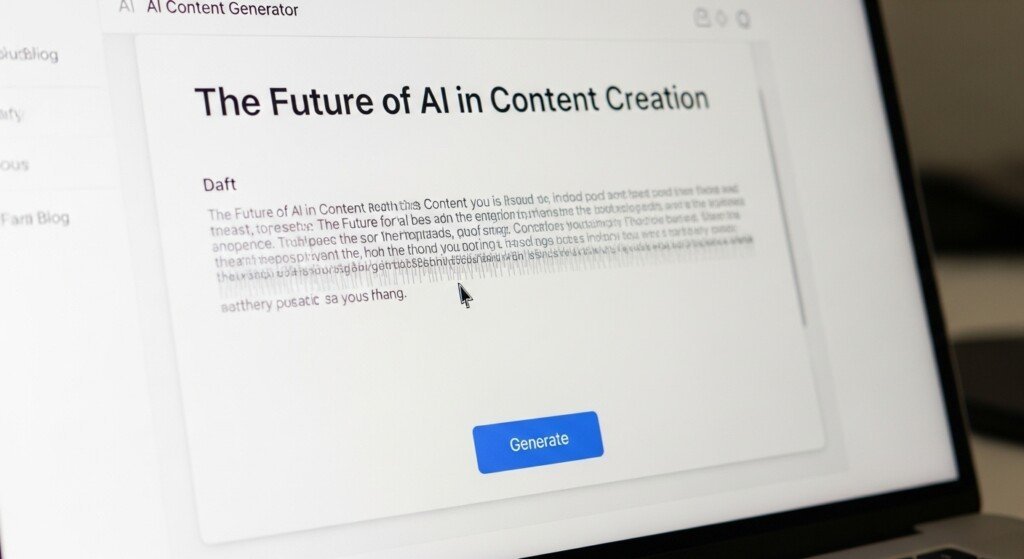
- Enter your blog topic
- Generate outline
- Expand sections
- Rewrite weak paragraphs
- Simplify tone
- Final manual edit
This works especially well for:
- List posts
- How-to guides
- Affiliate content
- Comparison posts
It’s a solid stepping stone if you’re still deciding whether AI writing tools are worth the cost for your blogging workflow.
Key Features Bloggers Actually Care About
- Blog article generator
- AI chat assistant
- SEO writing mode
- Landing page writer
- Product description generator
- Rewriting tools
- Chrome extension
No bloat. No useless gimmicks.
| Pros | Cons |
| 1.Affordable pricing 2.Fast content generation 3.Good for beginners 4.Decent long-form output 5.Works for affiliate blogs 6.SEO-friendly structure | 1.Output quality below Jasper 2.Needs more editing 3.Tone inconsistency 4.Limited brand voice control |
Who Should And Should NOT Use Writesonic
| Use Writesonic if: | Avoid Writesonic if: |
| 1.You’re on a budget 2.You publish frequently 3.You write list posts 4.You run an affiliate blog 5.You want a cheaper alternative | 1.You want premium quality 2.You need perfect tone consistency 3.You hate editing AI drafts 4.You only write long-form SEO posts |
It’s one of the better AI tools for affiliate blogging if you’re cost-sensitive.
Pricing Overview
Writesonic plans start around $39/month.
Free plan available.
Paid plans unlock better output and higher limits.
If you’re comparing comparing free and paid AI tools, Writesonic is one of the few where the paid tier actually makes sense.
Verdict
Writesonic is not elite.
It’s efficient.
If you need affordable content production that still works for SEO-focused AI writing tools and affiliate blogging, this is a practical choice.
“I use Writesonic when I need fast draft content or bulk blog posts without paying premium pricing.”
3: Grammarly — Best AI Writing Tool for Editing, Clarity & SEO Polish
Why Grammarly Is My #3 Pick
Grammarly isn’t a content generator.
It’s a quality control machine.
Every blogger who uses AI seriously needs this tool.
If you publish:
- Affiliate posts
- SEO content
- Long-form blogs
- Product reviews
…you cannot skip editing.
And Grammarly fixes what raw AI tools mess up.
What Problem Grammarly Solved for Me
AI tools write fast.
They don’t write clean.
Problems Grammarly eliminated:
- Grammar mistakes
- Awkward phrasing
- Repetitive sentences
- Poor tone
- Low readability
- Weak clarity
I run every serious post through Grammarly before publishing.
This alone increases content trust and helps when using tools that help with SEO content.
Real Workflow Example (How Bloggers Actually Use Grammarly)
Here’s the workflow that actually works:
- Generate content using Jasper or Writesonic
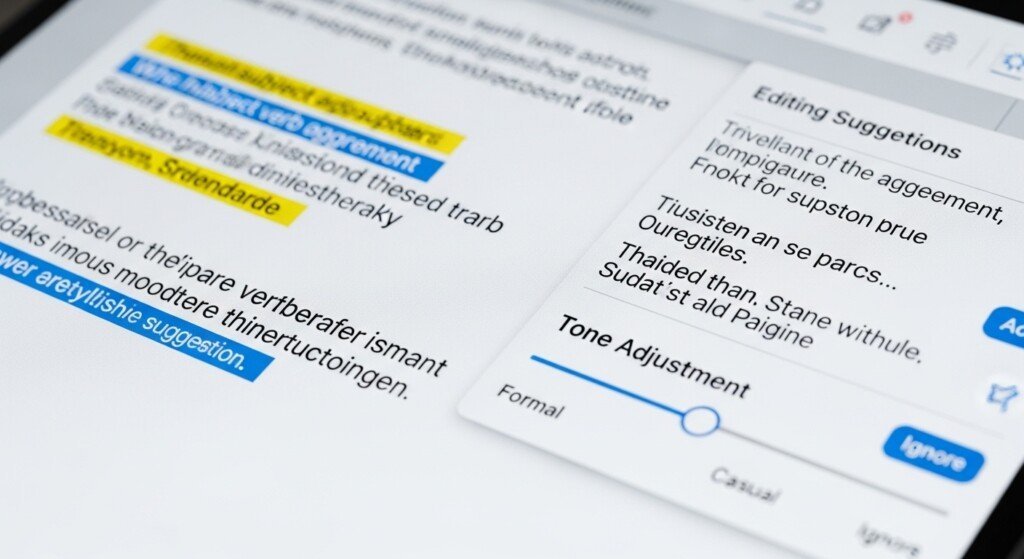
- Paste into Grammarly
- Fix grammar + clarity
- Improve tone
- Remove repetition
- Simplify wording
- Final human edit
This step turns bad AI content into publishable content.
If you’re still asking AI writing tools actually pay off, Grammarly is the missing piece.
Key Features Bloggers Actually Care About
- Grammar correction
- Clarity improvement
- Tone detection
- Plagiarism checker
- Readability suggestions
- SEO-friendly phrasing
- Browser extension
- Google Docs integration
No useless features.
Just fixes what matters.
| Pros | Cons |
| 1.Improves AI content quality 2.Makes content readable 3.Catches stupid mistakes 4.Increases trust 5.Helps SEO polish 6.Works everywhere 7.Free version usable | 1.Not a content generator 2.Premium needed for full power 3.Can over-simplify tone 4.No workflow automation |
Who Should And Should NOT Use Grammarly
| Use Grammarly if: | Avoid Grammarly if: |
| 1.You use AI writers 2.You publish affiliate content 3.You care about readability 4.You want SEO polish 5.You hate grammar mistakes 6.You want clean content | 1.You only write manually 2.You never publish content 3.You don’t care about grammar 4.You hate editing |
It’s mandatory for anyone serious about tools for writing product reviews or affiliate blogs.
Pricing Overview
Free plan available.
Premium starts around $12–$15/month.
Worth it if you use AI writers.
If you’re comparing whether free tools can replace paid ones, Grammarly Premium actually earns its cost.
Verdict
Grammarly isn’t optional.
It’s insurance.
It doesn’t replace Jasper or Writesonic.
It fixes them.
If you use AI tools for ranking content or affiliate blogging, Grammarly is non-negotiable.
“I run every AI-written blog post through Grammarly before publishing to clean up grammar, tone, and clarity.”
4: Frase — Best AI Writing Tool for SEO Content & Topical Authority
Why Frase Is My #4 Pick
Most AI writers fail at one thing:
Search intent.
They write words.
They don’t write content that ranks.
Frase fixes that.
This tool doesn’t just help you write.
It tells you what Google already rewards.
That’s why Frase belongs in any serious stack of AI writers built for search traffic.
What Problem Frase Solved for Me
Before Frase, my SEO workflow looked like this:
- Guess headings
- Guess topics
- Guess keyword placement
- Publish
- Hope for rankings
It was stupid.
Frase changed that.
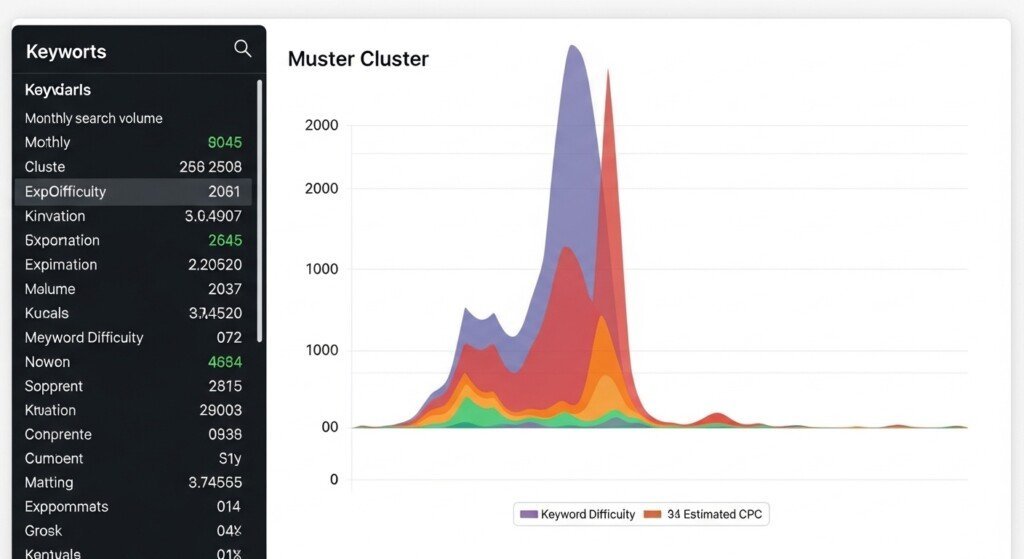
It shows:
- What competitors cover
- What questions users ask
- What subtopics Google expects
- Which terms matter
This alone made my AI content stop looking thin and start ranking.
If you’re still debating whether these tools justify their price, Frase is one of the few that actually changes outcomes.
Real Workflow Example (How Bloggers Actually Use Frase)
This is how Frase fits into a real workflow:
- Enter your target keyword
- Frase analyzes top-ranking pages
- It generates a content brief
- You create an outline from it
- Generate content using Jasper / Writesonic
- Optimize inside Frase
- Final polish in Grammarly
This combo is lethal for SEO.
That’s how you turn generic AI text into AI tools for buyer-intent content posts that actually rank.
Key Features Bloggers Actually Care About
- SERP analysis
- Content briefs
- Topic modeling
- Question extraction
- Keyword suggestions
- Content scoring
- Outline builder
- AI writing assistant
- Google Search Console integration
Everything here exists for rankings.
Nothing else.
| Pros | Cons |
| 1.Builds SEO-first outlines 2.Shows ranking gaps 3.Improves topical coverage 4.Reduces thin content 5.Works with any AI writer 6.Saves research time 7.Boosts on-page SEO | 1.Not a full writing tool 2.Learning curve for beginners 3.Needs another AI writer 4.UI feels cluttered 5.Paid plan required for real use |
Who Should And Should NOT Use Frase
| Use Frase if: | Avoid Frase if: |
| 1.You care about SEO 2.You publish affiliate content 3.You want topical authority 4.You build content clusters 5.You hate guessing topics 6.You want predictable rankings | 1.You don’t care about rankings 2.You only post casually 3.You don’t do keyword research 4.You hate SEO tools |
Mandatory if your goal is monetization using AI writing tools for SEO.
Pricing Overview
Plans start around $30–$45/month.
Not cheap.
But it pays for itself if SEO traffic matters.
Compared to most paid AI tools vs free versions, Frase is one of the few paid tools that actually earns ROI.
Verdict
Frase is not optional for SEO bloggers.
It doesn’t replace Jasper.
It makes Jasper useful for rankings.
If SEO traffic is part of your business model, you need Frase.
“I use Frase to build SEO outlines before generating content with AI because it shows exactly what Google expects.”
5: QuillBot — Best AI Tool for Rewriting, Paraphrasing & Content Cleanup
Why QuillBot Is My #5 Pick
Most bloggers misuse AI tools.
They generate garbage.
They publish it raw.
They get no rankings.
QuillBot exists to fix that.
This isn’t a full writer.
It’s a refinement engine.
And that’s exactly why it belongs in a serious stack of AI writing tools for SEO.
What Problem QuillBot Solved for Me
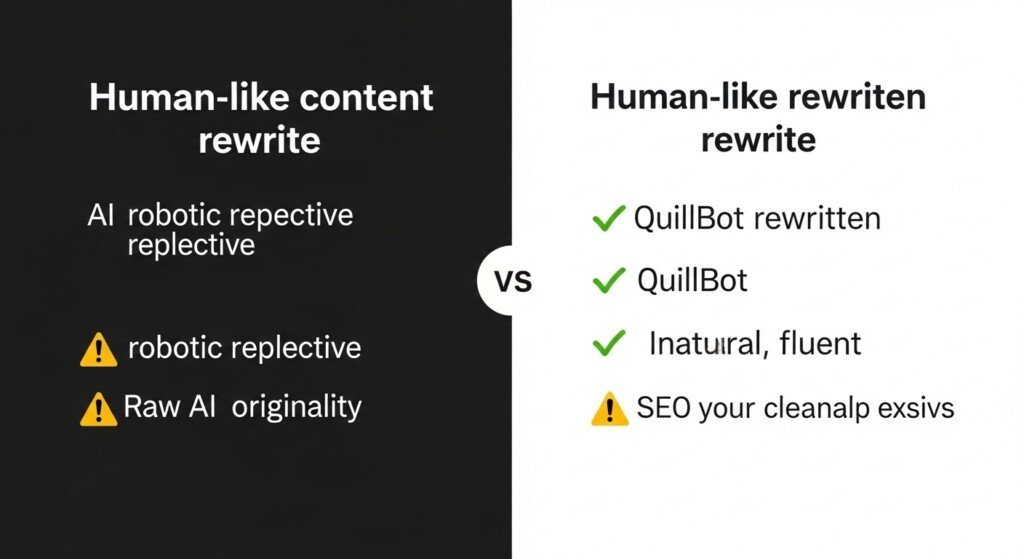
Here’s the real issue with AI content:
It sounds robotic.
It repeats phrases.
It triggers plagiarism checks.
It fails SEO originality.
QuillBot fixed all of that.
I now use it to:
- Rewrite Jasper outputs
- Paraphrase affiliate reviews
- Remove AI tone
- Fix sentence flow
- Improve clarity
- Avoid duplicate content
This is the tool that makes AI content publishable.
If you’re still asking are AI writing tools worth it, QuillBot is the cleanup layer that makes them usable.
Real Workflow Example (How Bloggers Actually Use QuillBot)
This is how QuillBot fits into a real workflow:
- Generate draft using Jasper or Writesonic
- Paste sections into QuillBot
- Rewrite using Standard / Fluency mode
- Improve tone + clarity
- Run plagiarism checker
- Final polish in Grammarly
- Publish
This is how you turn raw AI output into AI tools for review articles that don’t look machine-written.
Key Features Bloggers Actually Care About
- Paraphraser
- Multiple rewrite modes
- Grammar checker
- Plagiarism checker
- Tone control
- Sentence rewriter
- Word flipper
- Summarizer
No fluff.
All practical.
| Pros | Cons |
| 1.Makes AI content sound human 2.Reduces plagiarism risk 3.Improves sentence flow 4.Easy to use 5.Cheap compared to others 6.Works with any AI writer 7Fast results | 1.Not a full content generator 2.Limited creativity 3.Overuse can damage tone 4.Free plan is restricted 5.Needs another AI writer |
Who Should And Should NOT Use QuillBot
| Use QuillBot if: | Avoid QuillBot if: |
| 1.You use Jasper or Writesonic 2.You publish affiliate content 3.You care about originality 4.You want human-like output 5.You rewrite old posts 6You build SEO content | 1.You want long-form writing 2.You hate rewriting 3.You don’t care about tone 4You don’t edit content |
Mandatory if you use free vs paid AI writing tools and want clean outputs.
Pricing Overview
Free plan available.
Paid plans start around $10–$20/month.
Cheap.
High ROI.
This is one of the few tools where paid upgrades actually matter.
Verdict
QuillBot is not optional.
It doesn’t generate content.
It fixes content.
If you publish AI content and skip QuillBot, you’re doing it wrong.
“I run my AI drafts through QuillBot before publishing because it removes the robotic tone and reduces plagiarism risk.”
6: Paperpal — Best AI Tool for Polished, Formal & Credible Writing
Why Paperpal Is My #6 Pick
Most bloggers underestimate language quality.
They focus on speed.
They ignore tone.
They ignore credibility.
Paperpal fixes that.
This isn’t a hype AI writer.
This is a precision editor built for serious writing.
And that makes it a legitimate weapon inside a stack of AI writing tools for SEO.
What Problem Paperpal Solved for Me
Here’s what broke my content before Paperpal:
- Sentences sounded casual
- Grammar mistakes slipped through
- Tone felt weak in reviews
- Authority was missing
- Affiliate posts didn’t feel “expert”
Paperpal corrected all of that.
Now I use it to:
- Polish affiliate reviews
- Improve formal tone
- Fix grammar at scale
- Tighten sentence structure
- Upgrade credibility
- Make content feel expert-written
This tool is the difference between “blog post” and publishable authority content.
If you’re still doubting are AI writing tools worth it, Paperpal proves quality control matters.
Real Workflow Example (How Bloggers Actually Use Paperpal)
Here’s the real-world use case:
- Draft content in Jasper or Writesonic
- Rewrite in QuillBot
- Paste into Paperpal
- Improve grammar + tone
- Fix awkward phrasing
- Enhance formality
- Final polish in Grammarly
- Publish
This workflow produces software for review-style blog posts that actually sound professional.
Key Features Bloggers Actually Care About
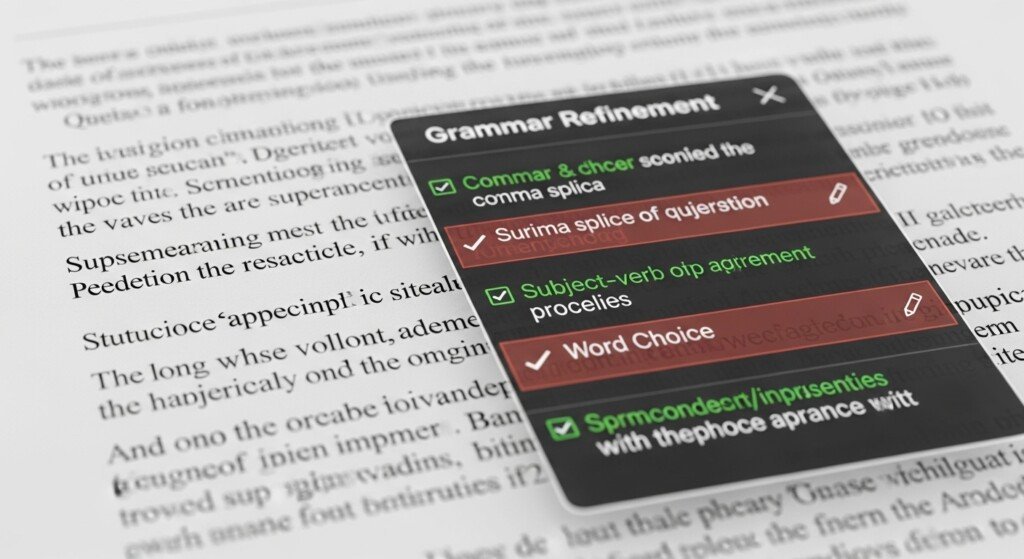
- Advanced grammar correction
- Academic-grade tone editing
- Style improvement
- Clarity suggestions
- Readability enhancement
- Vocabulary upgrades
- Language refinement
- Consistency checks
No gimmicks.
Just quality control.
| Pros | Cons |
| 1.Makes content sound expert-written 2.Fixes deep grammar issues 3.Improves authority tone 4.Great for reviews 5.Easy interface 6.Works with AI drafts 7.Professional output | 1.Not a content generator 2.Not creative 3.Limited free usage 4.Slower than Grammarly 5.Needs another AI tool |
Who Should And Should NOT Use Paperpal
| Use Paperpal if: | Avoid Paperpal if: |
| 1.You publish affiliate reviews 2.You want expert tone 3.You care about grammar 4.You target authority niches 5.You polish AI drafts 6.You need credibility | 1.You want creative writing 2.You hate editing 3.You don’t care about tone 4.You only do casual blogs |
Especially useful when combining free vs paid AI writing tools to clean cheap outputs.
Pricing Overview
Free plan available.
Paid plans start around $15–$30/month.
Not cheap.
Worth it for authority content.
Verdict
Paperpal doesn’t generate content.
It elevates content.
If you write reviews, affiliate posts, or authority guides and skip Paperpal, you’re lowering your own quality ceiling.
“I use Paperpal to polish affiliate reviews because it improves grammar and makes the content sound more professional.”
7: Copy.ai — Best AI Tool for Fast Content & Idea Generation
Why Copy.ai Is My #7 Pick
Copy.ai is not a precision tool.
It’s a speed machine.
When you’re publishing at scale, you don’t need perfection first.
You need raw output fast.
Copy.ai does that better than most beginner-friendly tools.
It earns a slot in this list of AI writing tools for SEO because content velocity matters.
What Problem Copy.ai Solved for Me
Here’s what slowed me down before Copy.ai:
- Blank page syndrome
- Slow intros
- Weak headlines
- Repetitive phrasing
- Inconsistent tone
Copy.ai fixed that.
Now I use it to:
- Generate first drafts
- Write blog intros
- Create outlines
- Rewrite paragraphs
- Brainstorm content ideas
- Speed up content production
It’s the fastest way to go from nothing → something usable.
Real Workflow Example (How Bloggers Actually Use Copy.ai)
Here’s the real usage pattern:
- Generate outline in Frase
- Draft sections in Copy.ai
- Rewrite in QuillBot
- Polish with Grammarly
- Authority tone fix in Paperpal
- Publish
This workflow lets you scale AI tools for review articles without burnout.
Key Features Bloggers Actually Care About
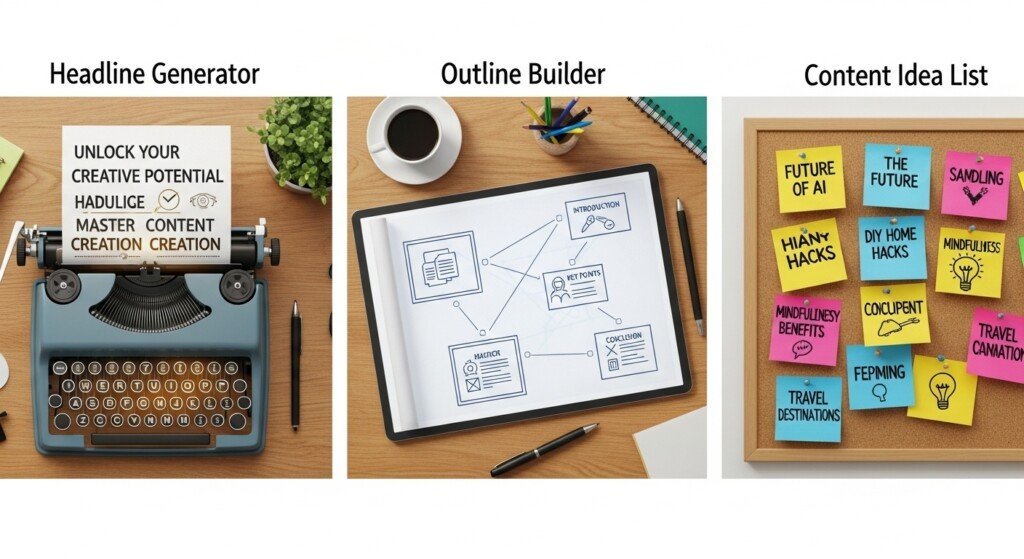
- Blog post generator
- Content rewriter
- Headline generator
- Outline builder
- Social media copy
- Email writing
- Idea generation
- Multiple tones
No fluff.
Just fast output.
| Pros | Cons |
| 1.Extremely fast 2.Easy interface 3.Good for brainstorming 4.Handles multiple formats 5.Decent first drafts 6.Good free tier 7.Scales content volume | 1.Weak long-form coherence 2.Repetitive phrasing 3.Needs heavy editing 4.Not SEO-focused 5Not authority-grade |
Who Should And Should NOT Use Copy.ai
| Use Copy.ai if: | Avoid Copy.ai if: |
| 1.You publish frequently 2.You struggle with starting 3.You need fast drafts 4.You brainstorm ideas 5.You want content velocity 6.You build volume | 1.You want SEO-ready content 2.You publish authority posts 3.You hate editing 4.You expect polished output |
It pairs well when comparing free vs paid AI writing tools because the free tier is usable.
Pricing Overview
Free plan available.
Paid plans start around $30/month.
Not cheap.
You’re paying for speed, not quality.
Verdict
Copy.ai is not your final writer.
It’s your first-draft engine.
Use it to start fast.
Then clean the mess with better tools.
If you’re still asking are AI writing tools worth it, Copy.ai proves speed alone is valuable.
“I use Copy.ai when I need fast drafts and content ideas because it saves me hours of staring at a blank page.”
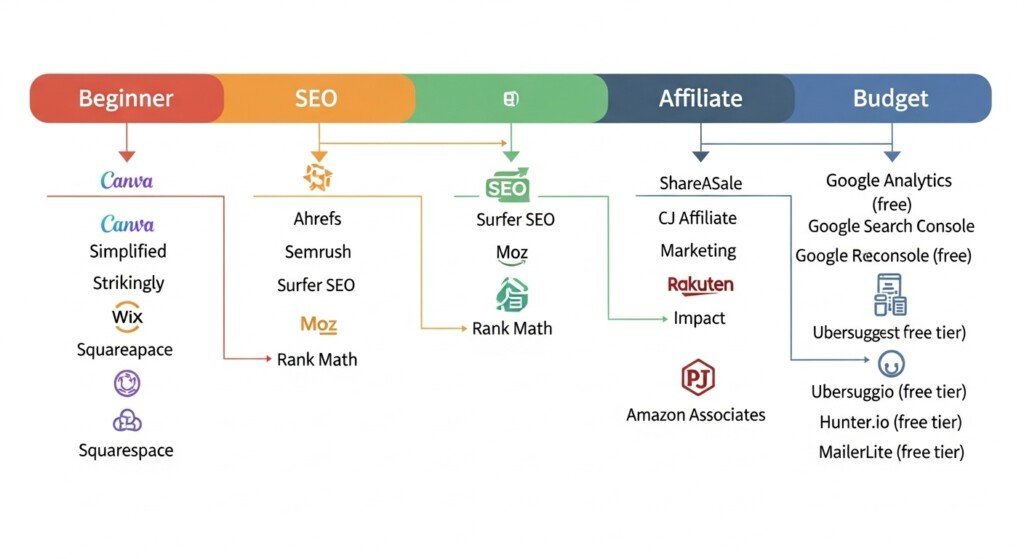
Which AI Writing Tool Is Best for You?
There is no “one perfect” AI writing tool.
The best tool depends on what kind of blogger you are and what problem you’re trying to solve.
Here’s the honest breakdown.
Best for Beginners
Grammarly + Writesonic
If you’re new to blogging, you don’t need complexity.
- Grammarly fixes grammar, clarity, and tone
- Writesonic helps generate drafts quickly
This combo keeps things simple and affordable.
If you want a deeper comparison between entry-level and premium tools, see this breakdown of free vs paid AI writing tools.
Best for Affiliate Bloggers
Jasper AI + QuillBot
Affiliate content needs:
- Speed
- Consistency
- Rewriting ability
- SEO-friendly structure
Jasper handles long-form product reviews and blog posts.
QuillBot cleans up repetitive sections and rewrites old content.
This setup is ideal if you’re creating buyer-intent content or monetized clusters.
Best for SEO Content
Frase + Jasper AI
If your priority is rankings:
- Frase builds SEO briefs and SERP outlines
- Jasper writes the actual content
This combo gives you structure + speed + optimization.
If SEO is your main concern, start with tools focused on AI writing tools for SEO before worrying about fancy features.
Best for Long-Form Blogs
Jasper AI
Jasper is the only tool here that consistently handles:
- 2,000+ word articles
- Structured outlines
- Internal linking logic
- Topic expansion
If you publish pillar pages or long guides, Jasper is your workhorse.
Best Budget Option
Writesonic + QuillBot
If you don’t want to spend much:
- Writesonic generates drafts
- QuillBot rewrites and improves flow
This combo is the most cost-effective way to publish consistently.
If pricing matters more than features, compare budget-friendly AI writing tools before committing.
Do AI Writing Tools Hurt SEO?
Short answer:
No. But misuse will.
Google doesn’t penalize AI content.
Google penalizes bad content.
What actually matters:
- Content quality
- Originality
- Usefulness
- Structure
- Human editing
If you publish raw AI output without editing, yes — your SEO will suffer.
If you:
- Edit the draft
- Add insights
- Improve clarity
- Structure headings properly
- Add internal links
Your content can rank just fine.
Google’s official stance is simple:
It doesn’t matter how content is created.
It matters whether it helps users.
AI is a tool, not a shortcut.
If you want the full breakdown, read this:
Do AI writing tools hurt SEO?
Are AI Writing Tools Worth It for Bloggers?
If you publish occasionally, no.
If you publish seriously, absolutely.
Here’s why.
1. ROI (Return on Investment)
If a $49/month tool saves you:
- 20 hours of writing
- 10 hours of rewriting
- 10 hours of editing
That’s 40 hours reclaimed.
Even at a low value of $10/hour,
that’s $400 in time saved.
The math is obvious.
2. Time Savings
AI tools don’t replace you.
They remove:
- Blank page syndrome
- Repetitive writing
- Manual rewriting
- Grammar cleanup
That’s 60–80% of the effort gone.
3. Content Velocity
More content = more traffic opportunities.
With AI:
- 1 post/week → 3–5 posts/week
- 4 posts/month → 12–20 posts/month
That’s how topical authority is built.
4. Revenue Leverage
Affiliate blogs don’t grow from 10 posts.
They grow from 100+ posts.
AI tools let you:
- Publish faster
- Update content easily
- Scale clusters
- Monetize more pages
If your goal is income, not just writing, then yes — they’re worth it.
If you want the full ROI breakdown, read:
Are AI writing tools worth it?
FAQs
1. What is the best AI writing tool for bloggers?
There isn’t one universal “best” tool for everyone.
For most bloggers in 2026, Jasper AI is the strongest all-round option for long-form content, SEO articles, and monetized blog posts.
If you’re a beginner, tools like Writesonic or Grammarly are easier to start with.
If SEO is your main goal, Frase paired with a writing tool works better than using a single tool alone.
2. Can AI writing tools replace human writers?
No.
AI writing tools don’t replace human writers — they replace manual effort.
They handle:
1. Draft creation
2. Rewriting
3. Grammar fixes
4. Structure
5. Content expansion
But they still need:
1. Human editing
2. Fact checking
3. Tone control
4. Strategy
5. Intent alignment
If you publish raw AI output, your content will be weak.
If you use AI as a co-writer, it becomes a serious productivity advantage.
3. Are AI writing tools safe for SEO?
Yes — if used correctly.
Google doesn’t penalize AI content.
Google penalizes:
1. Low-quality content
2. Thin content
3. Unhelpful content
4. Duplicate content
If you:
1. Edit the AI output
2. Add value and insights
3. Improve structure
4. Optimize headings
5. Include internal links
Your content can rank just fine.
If you want the full breakdown, read:
Do AI writing tools hurt SEO?
4. Do free AI writing tools work well?
Free tools are fine for:
1. Testing features
2. Short content
3. Rewriting small sections
4. Learning how AI writing works
But they come with limits:
1. Word caps
2. Feature restrictions
3. Weak long-form output
4. Lower accuracy
If you’re serious about blogging, free tools won’t scale.
For a realistic comparison, see:
Free vs paid AI writing tools
5. Which AI tool is best for affiliate blogging?
For affiliate blogging, Jasper AI is the most reliable option.
It handles:
1. Long product reviews
2. Comparison posts
3. Buyer-intent content
4. Structured blog articles
Pairing Jasper with QuillBot (for rewriting) or Frase (for SEO structure) makes it even stronger.
If monetization is your priority, this combo is hard to beat.
Final Verdict
Here’s the honest conclusion.
There is no perfect AI writing tool.
There are tools that fit your workflow — and tools that don’t.

My Recommendation
If you want one tool that does almost everything well:
Start with Jasper AI.
It’s the most consistent for:
- Long-form blogs
- SEO content
- Affiliate posts
- Content scaling
If you’re a beginner and don’t want complexity:
Start with Writesonic or Grammarly.
If your main focus is SEO:
Use Frase with a writing tool.
If you’re on a budget:
Use Writesonic + QuillBot.
Who Should Start With Which Tool?
- Beginners:
Grammarly or Writesonic - Affiliate bloggers:
Jasper AI - SEO-focused bloggers:
Frase + Jasper - Long-form content creators:
Jasper AI - Budget bloggers:
Writesonic + QuillBot
If you want to publish more content without burning out:
Pick one tool.
Test it for a week.
Build a simple workflow.
Then decide if it’s worth keeping.
Don’t chase tools.
Chase consistency.
Disclaimer
Some links on this page may be affiliate links.
If you click and purchase, I may earn a small commission at no extra cost to you.
I only recommend tools I genuinely use or believe are useful for bloggers.
This helps support the site and keep content free.